
Deleting a Presentation
When you no longer need a presentation, you can permanently remove it from ARuVR. Deletion is straightforward but irreversible, so take care before confirming.
How to Delete
- Navigate to the presentations dashboard.
- Find the presentation you want to remove.
- Click the trash icon (the rightmost action icon on the presentation card).
A confirmation dialog will appear before anything is deleted.
Confirmation Dialog
ARuVR displays a Delete Presentation confirmation dialog to prevent accidental deletions.
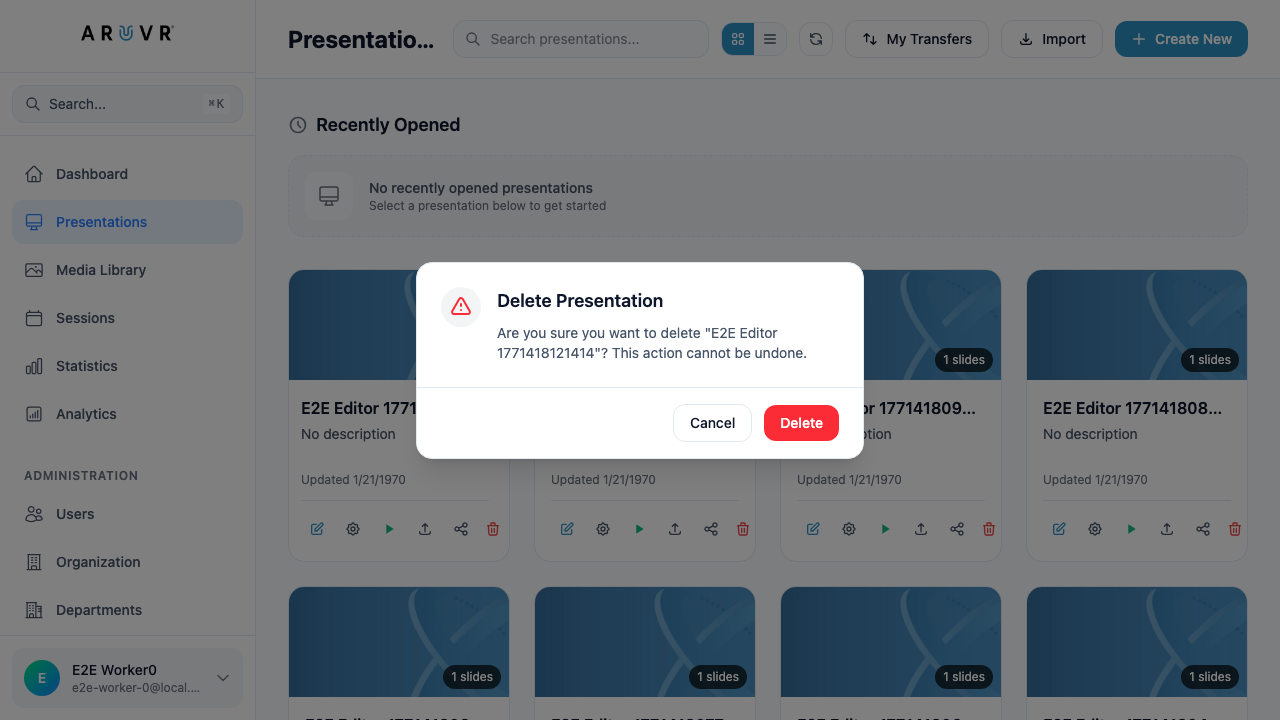
The dialog shows:
- A warning icon (yellow triangle) to draw your attention
- The exact name of the presentation being deleted, so you can verify you have selected the correct one
- The message: “Are you sure you want to delete ‘[presentation name]’? This action cannot be undone.”
- Two buttons: Cancel and a red Delete button
Click Cancel to return to the dashboard without deleting anything. Click the red Delete button to permanently remove the presentation.
Danger
Deleting a presentation is permanent and cannot be undone. There is no trash folder, recycle bin, or recovery option. Once you confirm deletion, the presentation is gone forever.
What Gets Deleted
When you delete a presentation, the following content is permanently removed along with it:
- All slides within the presentation (VR/360, VR/3D, and AR)
- All markers placed on those slides (text, images, videos, shapes, icons, polls, 3D objects, and every other marker type)
- All behaviors attached to those markers (triggers, actions, and conditions)
- All presentation settings (title, description, author, playback options)
- Session history associated with the presentation
Warning
If other users have shared access to this presentation, they will also lose access immediately upon deletion. Consider exporting the presentation first if you or others may need it later.
Before You Delete
If you are unsure whether you might need the presentation again, consider these alternatives:
- Export the presentation first by clicking the upload/export icon on the card. This creates a backup file you can import later if needed.
- Rename the presentation to indicate it is archived (e.g., prefix the title with “[ARCHIVED]”) so it stays available but is clearly marked as inactive.
Tip
You can export a presentation at any time from the dashboard using the export icon on the presentation card. Keep a backup before deleting anything you might want to revisit.